
Reservation sources
Start step
The Start step is the initial and mandatory element when building any scheme.
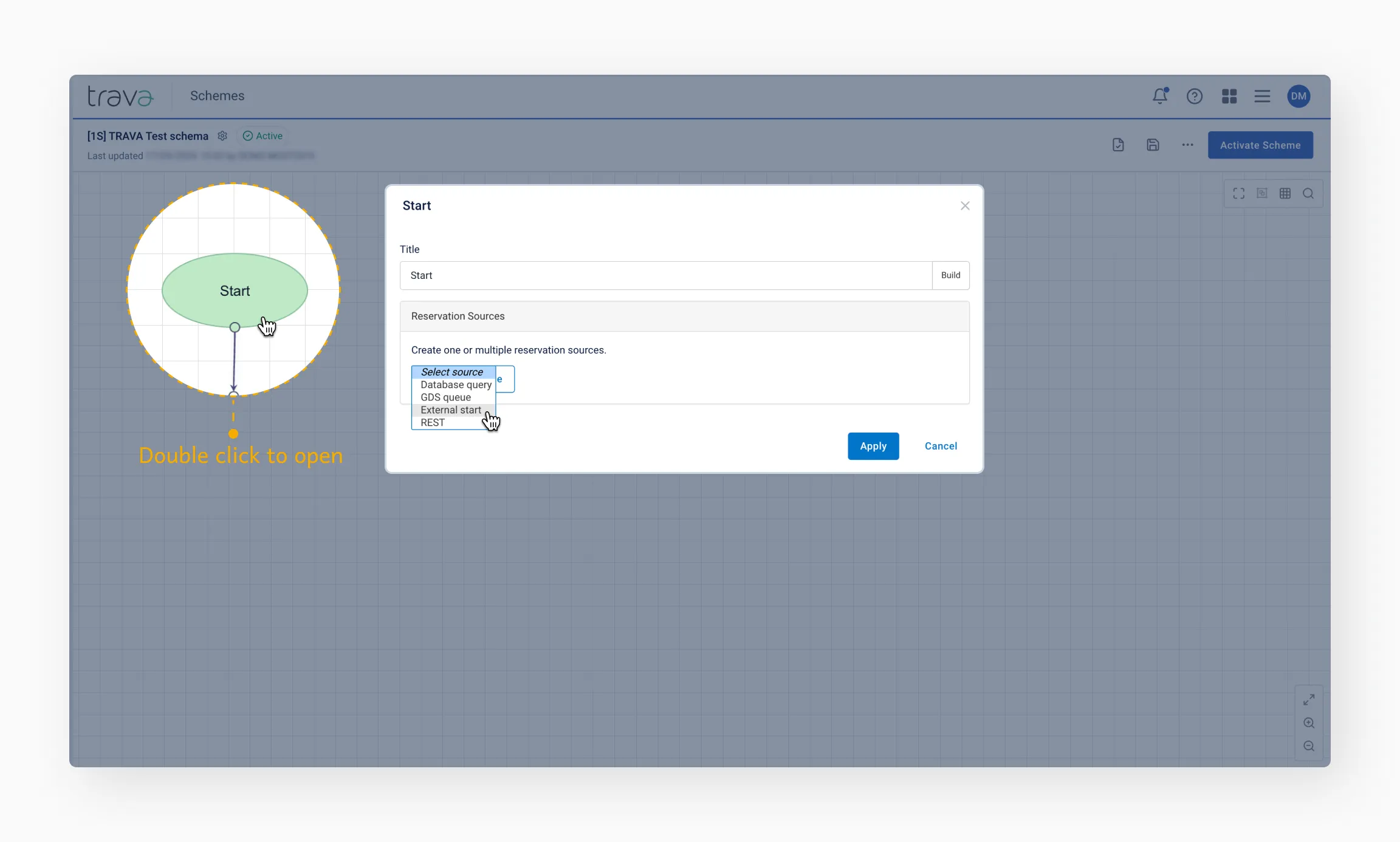
It is used to:
- Select and configure the source from which the scheme retrieves objects to process.
- Control price changes in optimization schemes of the PNR pricing type.
Depending on the selected scheme type, the Start step includes the following sections:
- Reservation Sources (source selection) – used for all scheme types.
- PNR Pricing Settings (price change control) – available and configurable only for PNR pricing optimization schemes.
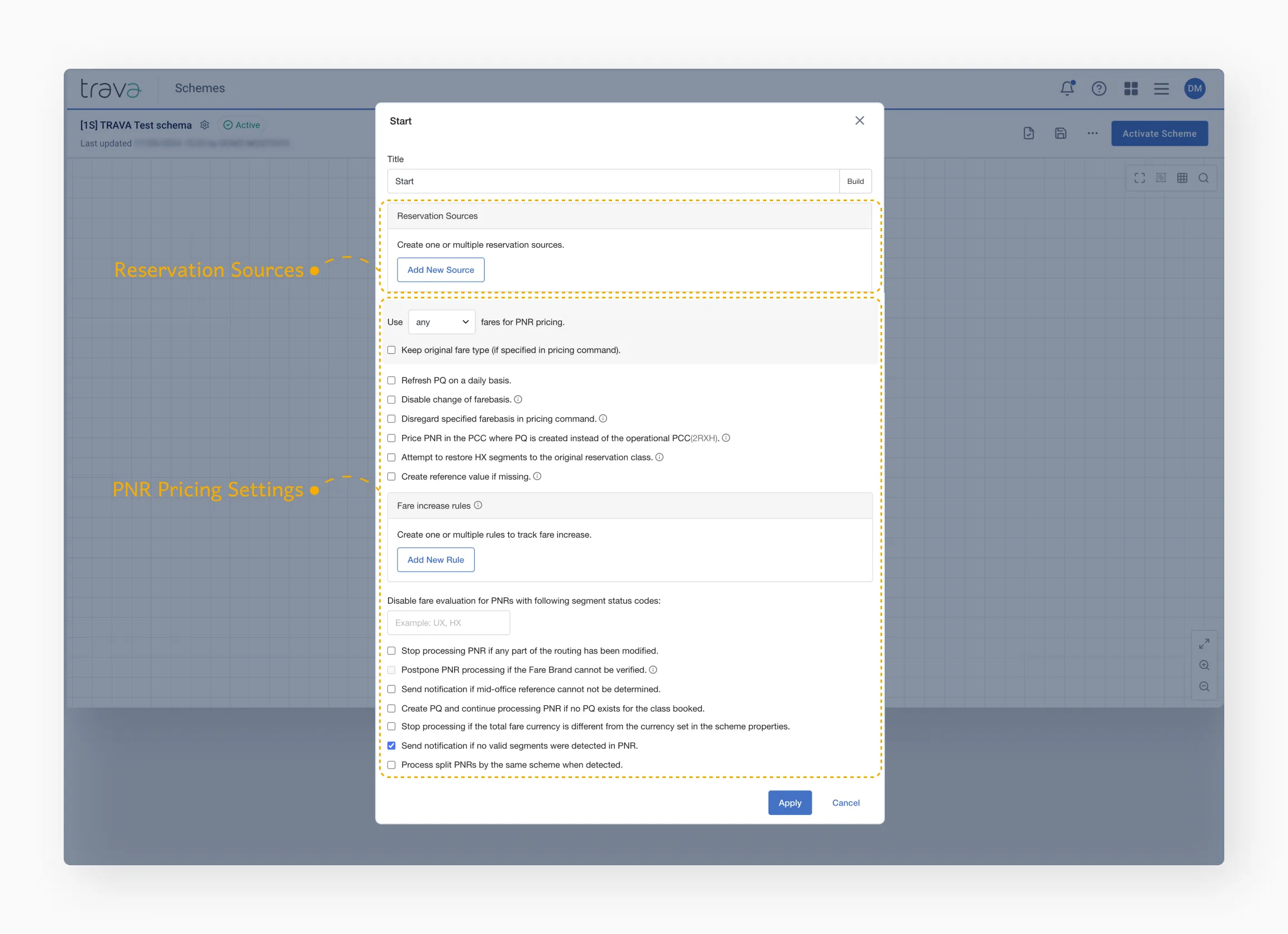
Select reservation sources
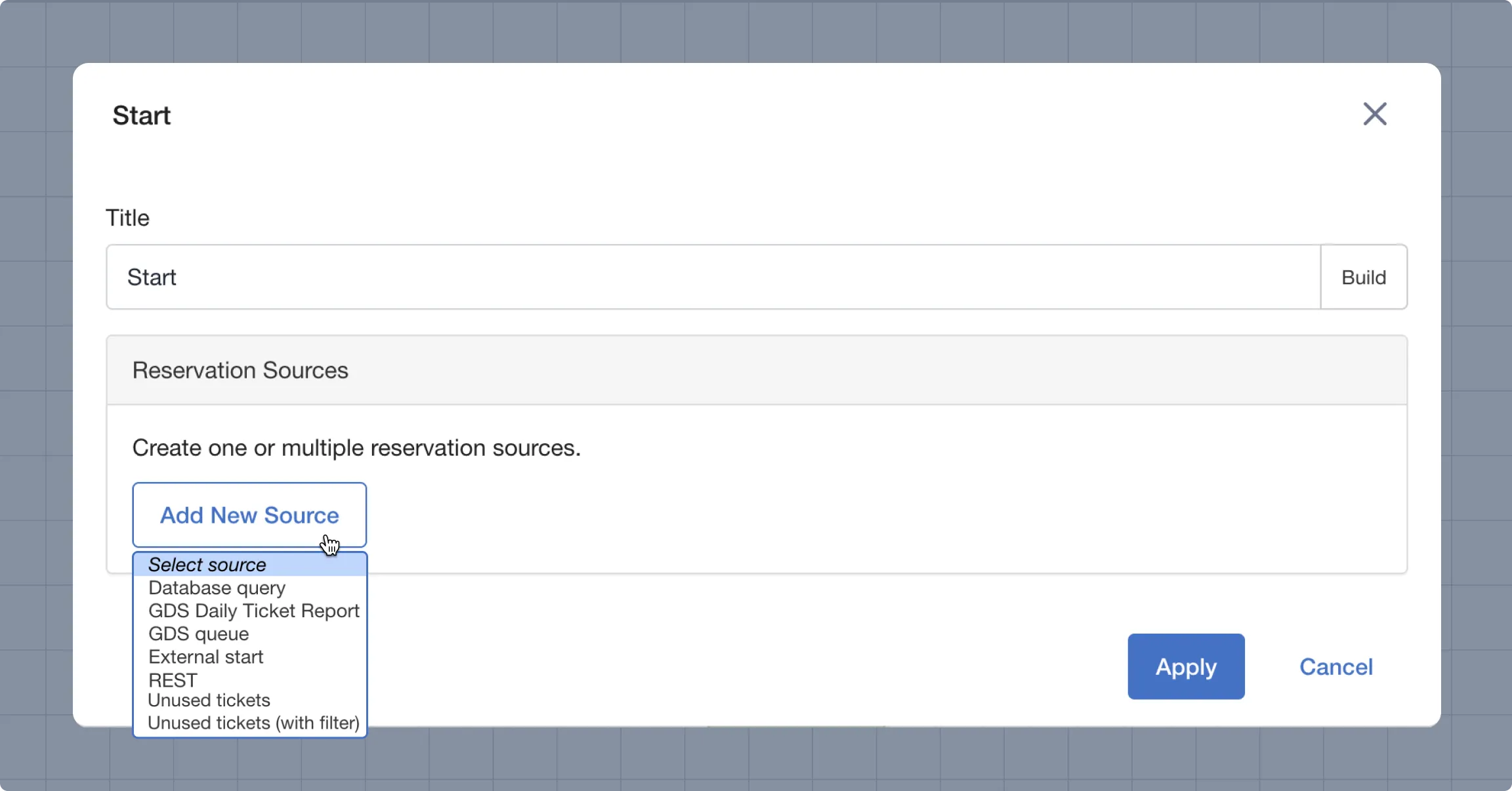
Specify and configure one or more sources from which the scheme retrieves objects (PNRs, tickets) for processing.
The list of available sources depends on the selected scheme type.
Use Tags to assign or remove tags for object instances when they enter the scheme.
Use Processing delay to postpone processing of an object after the source finds it. Specify the delay in hh:mm format. The setting is available for all sources except External start.
To verify source stability, review its execution history by clicking the History icon in the source header. The History icon appears next to the source name and is available for all sources except External start.
Database query
Available in all scheme types.
Used to retrieve PNRs, tickets, or EMDs from a client database via an SQL query. The database connection is set up individually for each client.
GDS Daily Ticket Report
Available in schemes – PNR processing, PNR redirector, Ticket processing.
Used to retrieve ticket data from a GDS report.
If Carrier codes or Ticketing offices is empty, the source selects tickets of all carriers or from all offices.
Within [N] days after loading into system – limits the selection to tickets loaded into the system within the specified number of days.
GDS queue
Available in schemes – PNR processing, PNR pricing, PNR redirector.
Used to retrieve PNRs from a GDS queue.
Select the office in OID / PCC first. The list of available queues depends on the selected office.
Remove PNR from the queue (recommended)– removes the PNR from the queue after processing. If the option is disabled:
- the scheme processes the PNR only once, and if the PNR is placed back on the same queue, processing is rejected;
- the queue check interval cannot be less than 1 hour;
- the Force processing on every queue check option becomes available.
Force processing on every queue check – restarts PNR processing on every queue check if the PNR remains on the queue.
External start
Available in all scheme types.
Used to manually launch objects into the scheme or process objects redirected from other schemes. No configuration required.
REST
Available in schemes – PNR processing, PNR pricing.
Used to retrieve data from an external web resource. Requires URL-based configuration and prior setup for proper object export.
User Name and Password – credentials for the external web resource, not for the Trava account.
Unused tickets
Available in schemes – Ticket processing.
Used to retrieve tickets from the unused tickets report. The report is generated daily based on tickets where travel has occurred but coupons remain fully or partially in OPEN status.
The source identifies ticket candidates, updates ticket coupon statuses using GDS queries, and accepts suitable ones for processing.
Unused tickets (with filter)
Available in schemes – Ticket processing
Used to retrieve unused tickets based on configured filtering criteria. Use for large volumes of tickets – ticket data is downloaded from the Unused Tickets database using SQL queries.
It is recommended to add a ticket coupon status check to the scheme, as status updates occur when the scheme receives a ticket.