
Schemes are the backbone of Trava’s automation engine. They define what the system should look for in each reservation, what actions to perform, and in which order.
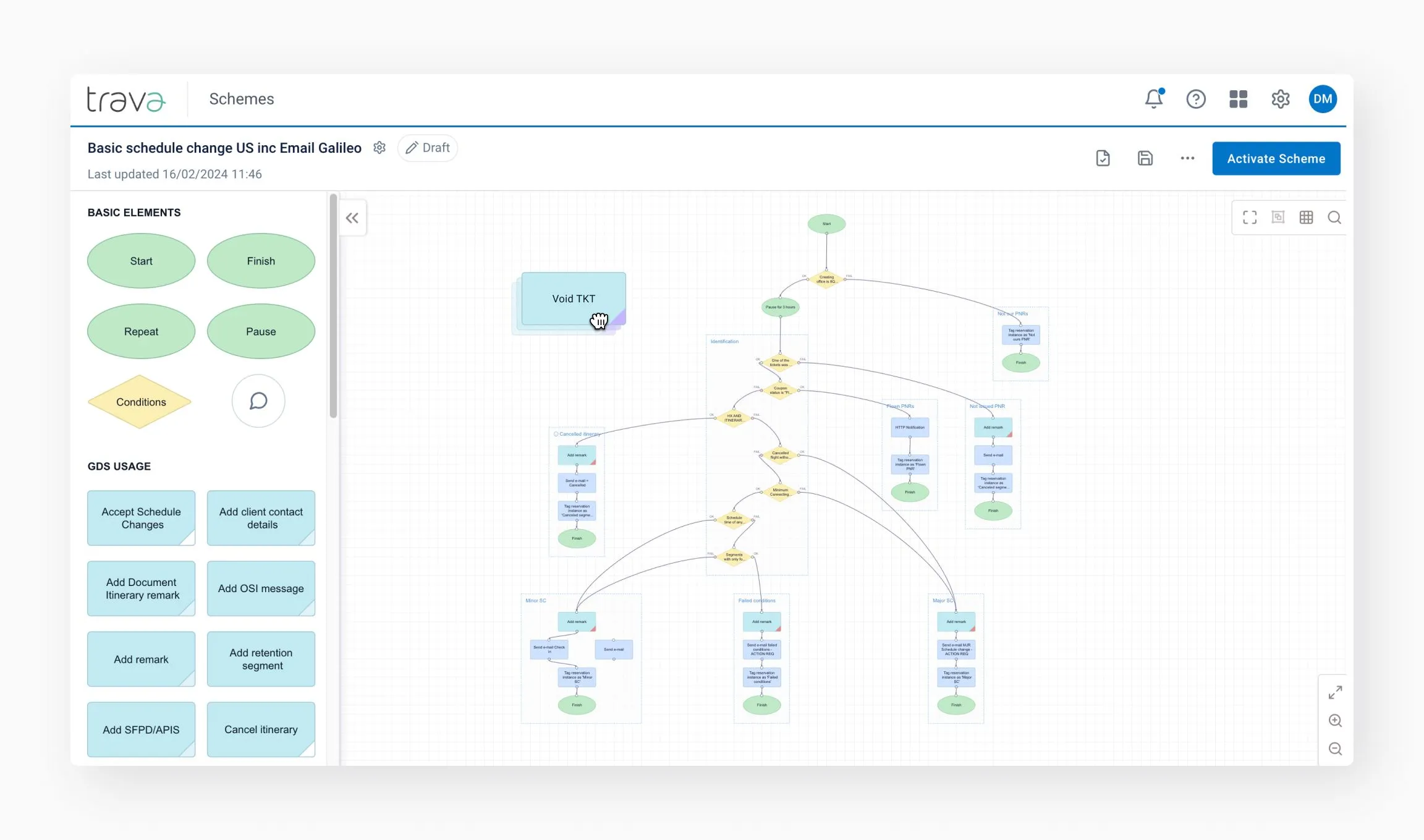
A scheme is a structured set of rules and actions that Trava executes when a reservation enters the system. Schemes allow travel agencies to automate complex sequences of actions, reduce errors, and speed up operational workflows.
Each scheme:
- Defines when it should run (conditions and priorities);
- Contains logic describing what to check or apply to the PNR;
- Includes actions the system performs (e.g., add remarks, update fares, email passengers, create tasks, etc.);
- Ensures automated, predictable, repeatable outcomes for every reservation.
Schemes work like a workflow blueprint for processing reservations. Once configured, they run automatically and require no manual intervention.
Schemes consist of steps: Start → Conditions → Actions → Finish
Each step analyzes the current PNR, makes a decision, and executes a sequence of commands in GDS.
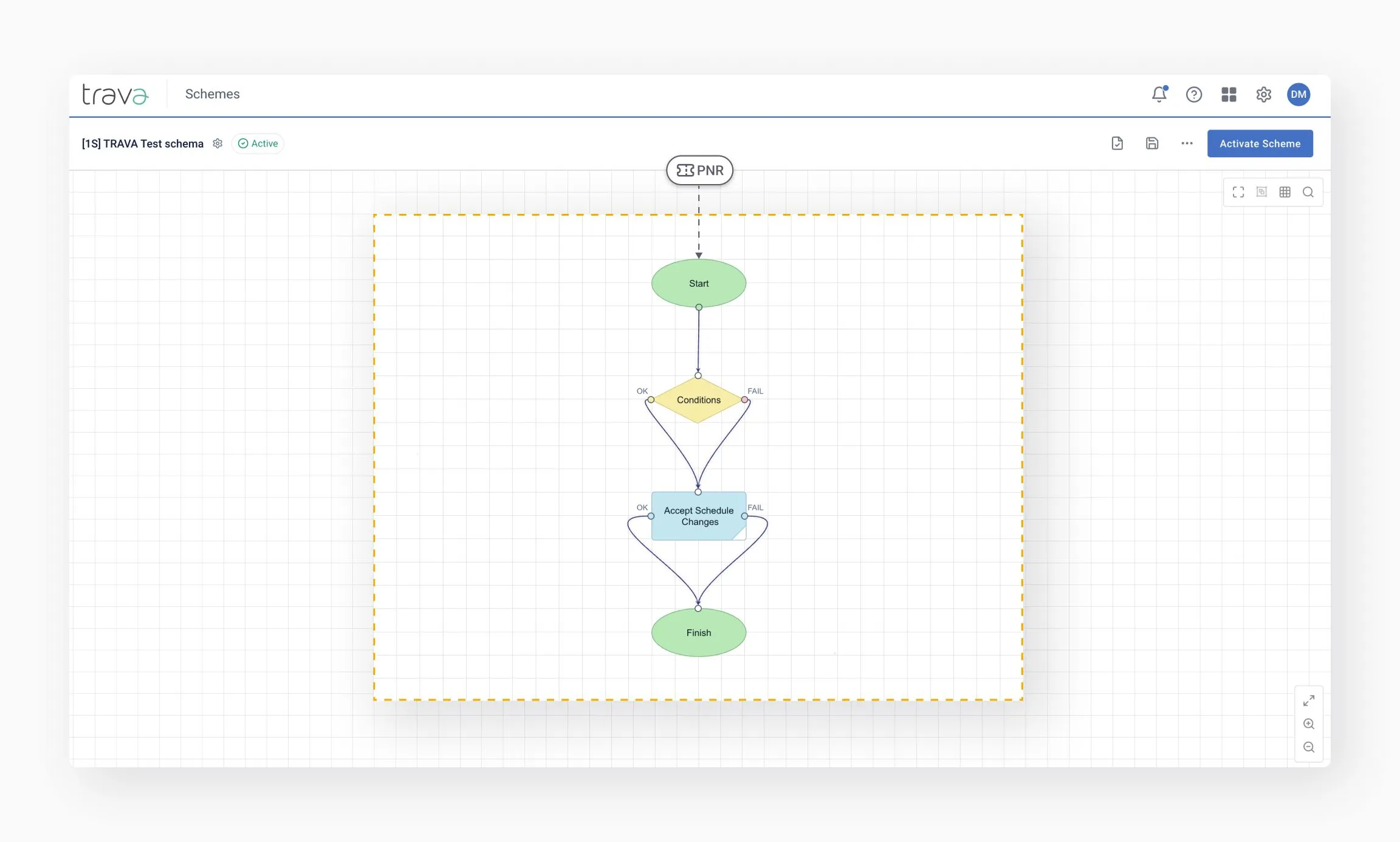
Start
A scheme starts automatically. All trigger settings are defined at the Start step, and a PNR can enter a scheme in several ways:
- when the PNR appears in a GDS queue;
- via API or webhook;
- from another scheme (through the PNR Redirector scheme);
- manually by the agent.
Processing flow
Once started, the system moves through the scheme step by step, following the connections between them.
Decision-making
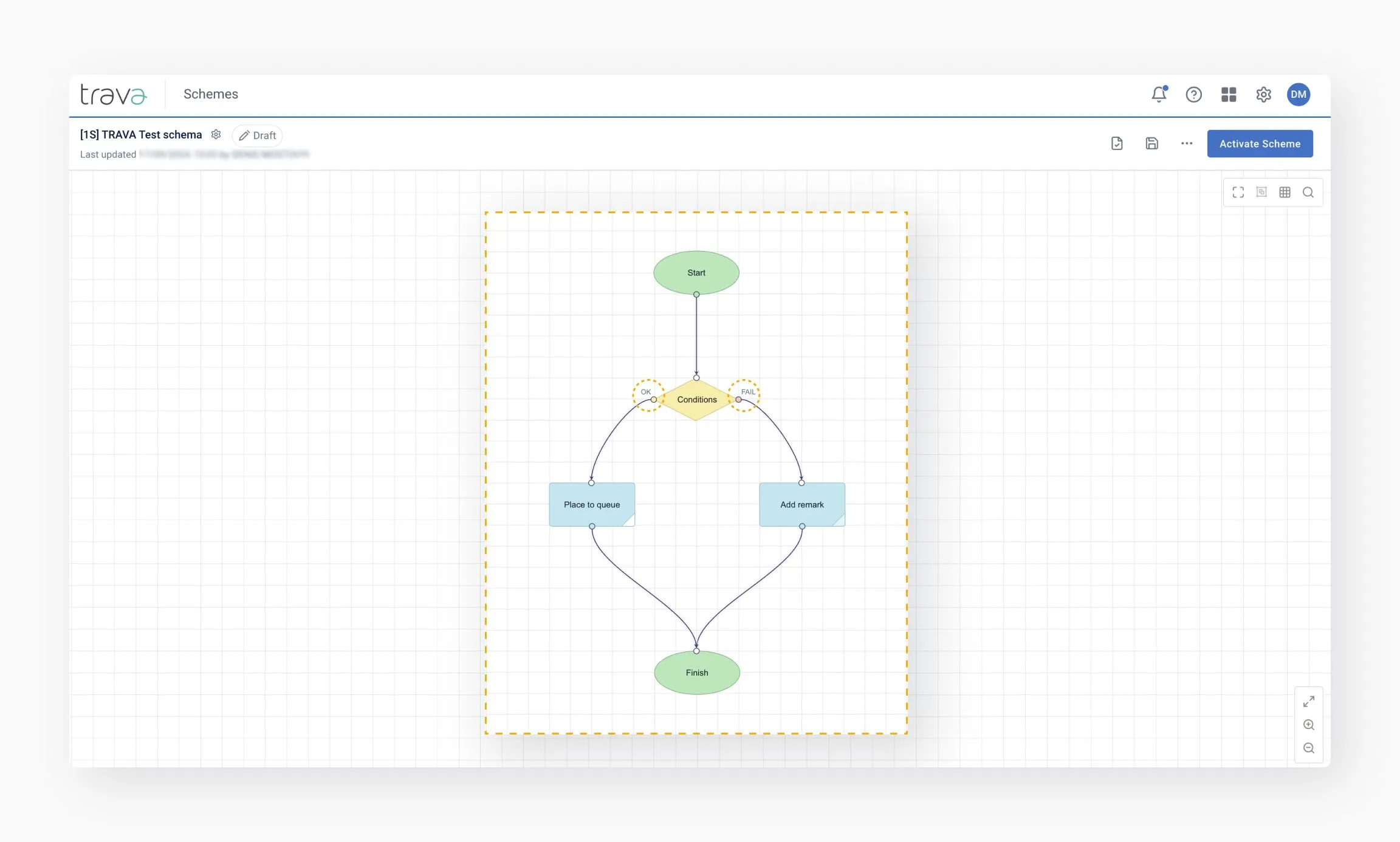
Each Condition evaluates the current state of the PNR and determines the next path:
Condition → Yes path / No path → next steps
Action execution
Each Action performs a specific task at its step. The action can either complete successfully or fail (due to an error or an inability to execute).
Completion
Each scheme run can end with different outcomes:
- Finish – processing is completed successfully, no additional runs required;
- Pause / Repeat – processing is postponed for a defined period and then resumed.
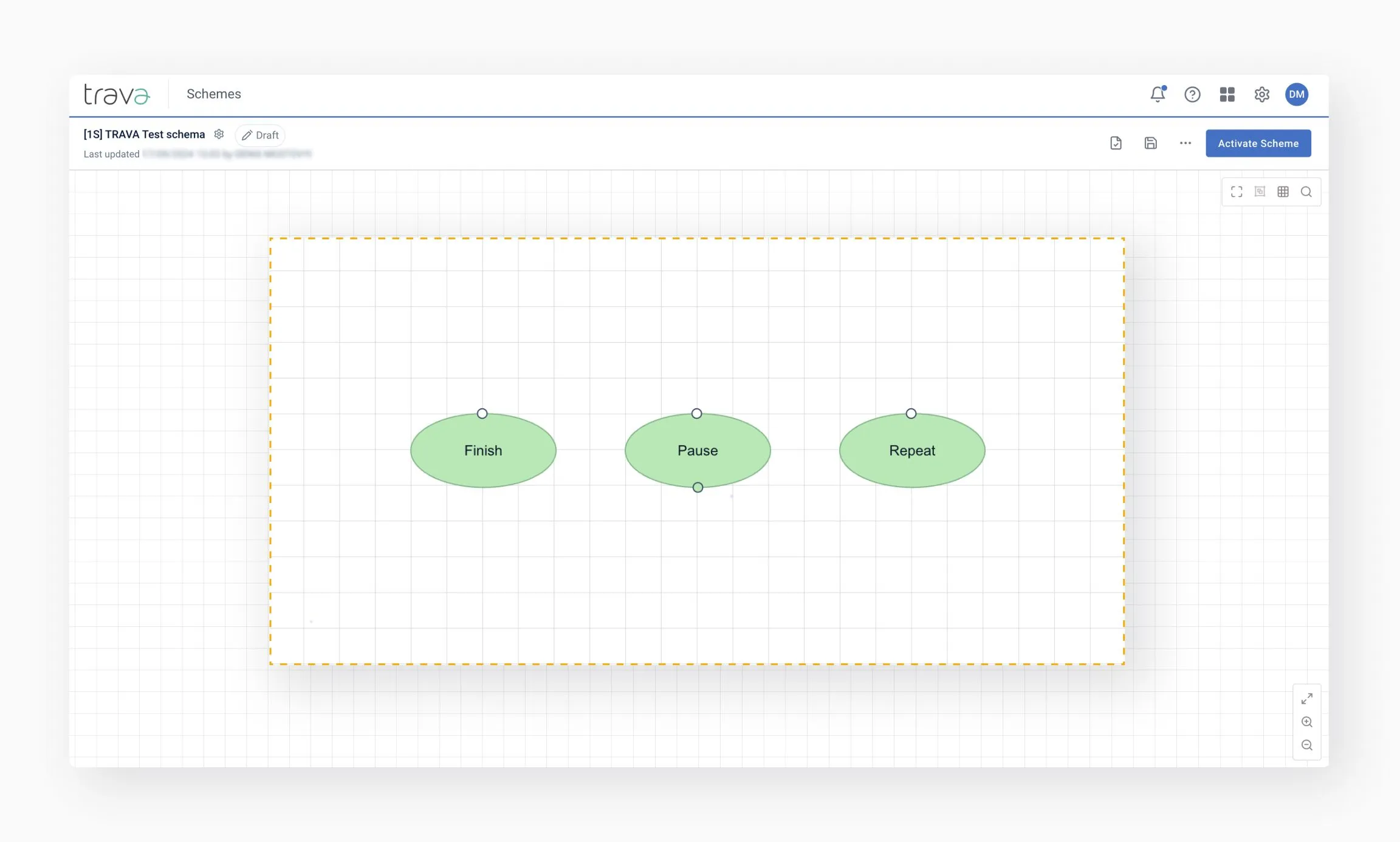
A scheme continues to process the PNR until it reaches the Finish state according to the defined rules.
The available settings and actions within a scheme depend on its type.
At a high level, Trava schemes fall into two categories:
- Pricing-related schemes, which work with fares, pricing, and ticketing logic
- Operational schemes, which handle other post-booking processes, such as schedule changes
To make configuration flexible and manageable, Trava uses catalogs and rule sets. These are filled and maintained by the agency and allow schemes to reflect:
- airline-specific rules
- industry standards
- the agency’s own internal business logic
Custom settings
For workflows to function correctly, users can create custom settings. These settings are then used by workflow steps when performing specific actions. For example:
- Carrier settings – control reissue and revalidation logic
- Offices – define where pricing and ticketing should be performed
- Variables – named references configured by the user. They are used to dynamically pull data from sources (e.g., PNR, documents) and inject that data into workflow outputs.
- Email templates – use templates that can be applied by agents within schemes to maintain consistent communication standards
This approach makes schemes adaptable to real operational scenarios without hardcoding complex logic into each workflow.
Schemes provide several key benefits:
- Consistency: Every reservation is processed the same way – according to your business logic
- Speed: Actions that take minutes manually are executed instantly
- Accuracy: Fewer mistakes, fewer missed conditions, fewer human-factor issues
- Scalability: New lines of business or seasonal peaks can be handled without extra staff
- Transparency: All executions are logged and auditable
- Flexibility: Schemes allow highly customized automation per carrier, agency, fare, passenger type, PCC, or workflow scenario